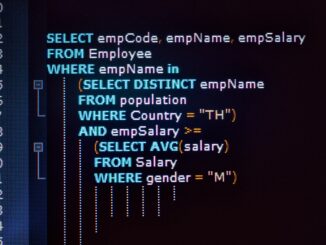
The mechanics behind the SQL Server query optimizer are reasonably well documented, but the operational reality is messier. The SQL Server query optimizer is a cost-based plan-search engine that explores transformations of a logical query tree and picks the cheapest physical plan it finds in its time budget — not the optimal plan, just the cheapest seen so far. That single sentence hides a fair amount of detail, and the rest of this piece pulls those details apart so the levers and trade-offs are visible.
The most common version of the problem is straightforward: a query suddenly produces a worse plan and the team doesn’t know whether the cause is statistics, parameter sniffing, schema change, or optimizer behaviour. That kind of issue rarely traces back to a single setting. It is usually a combination of schema, indexing, and a few small misconfigurations stacking on top of each other, and the path to fixing it starts with understanding the mechanics.
For teams running SQL Server in production, the cost of getting the SQL Server query optimizer wrong is felt in tail latency, in blocking chains, and in the hours operators spend chasing intermittent issues. Getting it right takes some up-front investment in measurement and a willingness to revisit defaults when the workload changes.

How it actually works
Before changing any setting, it helps to walk through what SQL Server is actually doing under the surface. The behaviour described here is not specific to one release; the broad shape has held across recent versions from 2016 onward, and the operational implications are the same on Windows, Linux, and Azure SQL Managed Instance.
- Parsing and binding produce a logical query tree with operator references resolved.
- The optimizer applies transformation rules to explore equivalent logical and physical plans.
- Each candidate plan is costed using the cardinality estimator and operator-specific cost models.
- Search is divided into phases; later phases consider more transformations but cost more time.
- When the optimizer’s time budget runs out, it returns the cheapest plan it has found.
- Plan choice is influenced by statistics, indexes, hints, isolation level, and recompile settings.
Each of those steps has its own characteristic cost, and the slow ones tend to be the ones that show up in p95 and p99 latency. That is why the rest of this piece focuses on the levers that actually move those percentiles, rather than on micro-optimisations that look good in synthetic tests but rarely survive contact with production workloads.
Settings that actually matter
The configuration surface in SQL Server is broad, and most of it does not need to be touched in a typical deployment. The settings below are the ones worth understanding because they shape behaviour directly under load. Defaults work for small workloads; the right values for production are usually different.
| Setting | Suggested value | Notes |
|---|---|---|
| Cardinality estimator | version | default tracks DB compatibility level |
| MAXDOP | instance/query | controls parallelism |
| Cost threshold for parallelism | default 5 | raise to 25-50 for OLTP |
| Compatibility level | DB-level | affects optimizer behaviour |
None of these are universal. The right number on a server with sixty-four cores and NVMe is not the right number on a smaller VM with attached storage, and the right number for an OLTP workload differs from a mixed reporting workload. The values above are starting points, not endpoints.
T-SQL examples
The T-SQL below shows the pattern in concrete terms. It is meant to be read alongside the explanation, not copied verbatim into a production script.
-- Inspect the plan
SET STATISTICS XML ON;
SELECT * FROM dbo.MyTable WHERE id = 42;
SET STATISTICS XML OFF;

-- Recent plan from cache
SELECT TOP 5 qs.execution_count, qs.total_logical_reads,
       SUBSTRING(st.text, qs.statement_start_offset/2,
                 (qs.statement_end_offset - qs.statement_start_offset)/2) AS sql
FROM sys.dm_exec_query_stats qs
CROSS APPLY sys.dm_exec_sql_text(qs.sql_handle) st
ORDER BY qs.total_logical_reads DESC;
Tuning approach that works in practice
The list below is the order most operators converge on when tuning the SQL Server query optimizer. It is not a recipe; the right answer depends on the workload. But it is a defensible sequence: each step is cheap to verify, and each one has a measurable effect when the change matters.
- Keep statistics current; the optimizer is only as good as its estimates.
- Use Query Store to detect plan regressions and force the better plan when needed.
- Test compatibility-level changes on staging before flipping production.
- Avoid hints as a default tool; they freeze the optimizer’s hands.
- Raise cost threshold for parallelism to a sensible value for OLTP workloads.
Each change should be measured against the metrics that matter — usually p95 latency at a target throughput, plus wait stats and CPU behaviour. Changes that do not move those numbers are not actually changes; they are configuration churn.
What to look at first
When something goes wrong with the SQL Server query optimizer, the first move is usually a handful of DMV queries. The objects below are the ones that produce useful output fast, without needing a full monitoring pipeline to interpret.
| Object | What it shows |
|---|---|
| sys.dm_exec_requests | Currently running requests, with wait type, duration, blocking session, and last waits. |
| sys.dm_os_wait_stats | Server-level cumulative waits per wait type since startup or last reset. |
Guardrails worth setting up
Tuning without monitoring is guesswork. The signals listed below are the ones that catch problems early enough to act on, and most production servers end up alerting on a similar shortlist whether they planned to or not.
- Alert on plan cache eviction storms.
- Track the number of distinct plans per query in Query Store.
- Watch for COMPILE waits on hot statements.
- Monitor recent plan changes after deployments.
Pitfalls that show up repeatedly
The same handful of mistakes appears across server after server. Most of them are easier to avoid than to fix, and the cost of getting them wrong tends to compound — what starts as a small misconfiguration becomes a real incident weeks later when the workload grows.
- Forcing OPTION (RECOMPILE) on every query as a workaround for parameter sniffing.
- Changing compatibility level without testing important plans.
- Treating estimated row counts as ground truth without examining statistics.
None of those are exotic. They show up in code reviews, in postmortems, and occasionally in vendor support tickets, and the operational habit of catching them early is worth more than any single configuration change.
Frequently asked questions
A handful of questions come up every time this topic is discussed. The answers below are the ones that hold up across most production deployments; the exceptions are usually visible in the metrics.
Does the optimizer always pick the best plan?
It picks the cheapest plan it found before its time budget expired. With current statistics and a reasonable plan space, that’s usually good enough.
What’s a cardinality estimate?
The optimizer’s prediction of how many rows an operator will produce. Bad estimates lead to bad plan choices.
Can hints fix plan problems?
Sometimes, but hints are durable — they freeze plan choices that may become wrong later. Use them sparingly.
What’s the difference between trivial and full optimization?
Trivial plan optimization runs first for simple queries and skips full search. Anything beyond a single-table point lookup usually goes to full optimization.
How does parameter sniffing relate to the optimizer?
On compile, the optimizer uses the parameter values it sees. Different values can produce wildly different plans, which is the parameter-sniffing problem.
SQL Server rarely operates in isolation. It sits inside a larger application stack with its own monitoring, deployment, and incident workflows, and the engine’s performance characteristics interact with those workflows in ways that are easy to miss. Treating SQL Server as part of a system, rather than a standalone service, generally produces better outcomes.
Workloads do not stand still. New features, new tenants, and changes in usage patterns shift the shape of the traffic, and configuration that was right last quarter may be wrong this one. The instance’s behaviour is a moving target, and the tuning posture should reflect that.
A baseline taken once and never refreshed is rarely useful for long. The values that define normal on a SQL Server instance shift as data grows, as queries are added, and as schema evolves. Periodically refreshing baselines and comparing to historical trends gives the team something concrete to react to when behaviour changes.
Hardware specifications change as servers are replaced and infrastructure is upgraded. A configuration that fit a previous generation of disks or CPUs may underperform on the next, and revisiting tuning decisions when hardware changes is part of routine operations rather than an exceptional event.
Behind every SQL Server instance there is a team that owns it, and the team’s habits matter as much as the configuration. Clear runbooks, clear ownership, and unambiguous SLOs do more for reliability than any single tuning decision, and they are what make tuning sustainable over time.
Monitoring decisions tend to follow tuning decisions: once a setting is in place, the metrics that prove it is working become the ongoing signal that triggers the next change. Without that loop, a tuned instance drifts back toward defaults whenever workload changes nudge it that way, and the work has to be redone.
Putting it together
the SQL Server query optimizer sits at the intersection of schema design, hardware choice, and operational habits. Each of those areas can be tuned in isolation, but real performance comes from getting all three roughly right at the same time. The work pays off in the form of latency that holds during peaks and a server that scales without surprises.
The work is rarely finished, but it is also not as mysterious as it sometimes feels: a small number of mechanisms drive most of the behaviour, and the levers that matter are mostly the ones described above.
- SQL Server 2025 Wait Statistics
- SQL Server Query Store FAQ – Enabling, Purging, and Disabling
- SQL Server Performance Audit