Leveraging Snowflake Optima for Intelligent Workload Optimization
In today’s data-driven landscape, organizations are increasingly reliant on cloud data platforms to manage, analyze, and derive value from vast amounts of information. Among the leading solutions in this space, Snowflake has emerged as a transformative force, offering a fully managed, scalable, and secure data cloud that supports diverse workloads across data warehousing, data lakes, data engineering, and real-time analytics.
As enterprises scale their data operations, performance optimization becomes a critical priority. Slow queries, inefficient resource utilization, and unpredictable costs can hinder productivity and delay decision-making. This is where Snowflake Optima comes into play—a powerful, intelligent feature designed to bring automation, insight, and precision to workload optimization.
This article explores how Snowflake Optima analyzes historical workload patterns to deliver actionable performance insights and automated tuning recommendations. We’ll dive deep into its capabilities, examine real-world applications, and provide best practices for maximizing its value across your data environment.
Understanding Snowflake Optima: The Intelligence Layer for Performance
Snowflake Optima is not a standalone product but an intelligent layer embedded within the Snowflake Data Cloud. It leverages machine learning, telemetry data, and historical workload analysis to continuously monitor, assess, and optimize query performance and resource consumption.
At its core, Optima transforms raw operational data into strategic intelligence. By analyzing millions of query patterns, execution plans, and system metrics over time, it identifies inefficiencies, detects anomalies, and surfaces recommendations that would be difficult or time-consuming for human analysts to uncover manually.
Unlike traditional database tuning tools that rely on static rules or reactive troubleshooting, Snowflake Optima operates proactively. It learns from your environment’s unique behavior and adapts its guidance accordingly, making it especially valuable in dynamic, multi-tenant, and evolving data ecosystems.
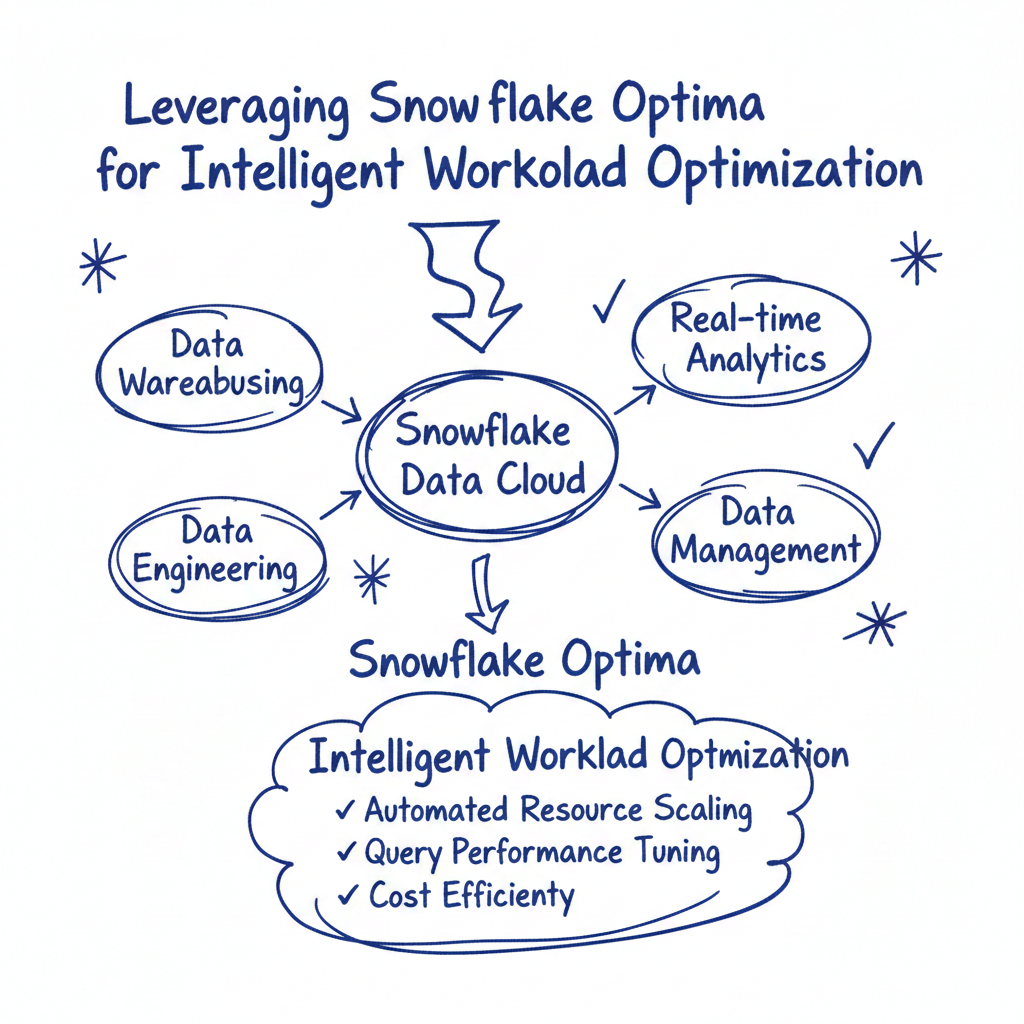
Key Components of Snowflake Optima
Snowflake Optima comprises several interrelated components that work together to deliver intelligent optimization:
- Workload Pattern Analysis: Continuous ingestion and analysis of query history, including execution duration, resource consumption (credits), concurrency levels, and data scanned.
- Performance Benchmarking: Comparison of current query performance against historical baselines and peer benchmarks (anonymized across the Snowflake network).
- Automated Recommendation Engine: A rules-based and ML-driven system that generates tuning suggestions such as warehouse sizing, clustering key recommendations, materialized view creation, and query rewriting.
- Cost Attribution and Forecasting: Visibility into credit consumption by user, role, warehouse, and query type, with predictive modeling for future spend.
- Anomaly Detection: Identification of sudden performance regressions, unexpected spikes in credit usage, or deviations from normal behavior.
These components are seamlessly integrated into the Snowflake UI and accessible via account usage views, dashboards, and alerts, enabling both DBAs and data engineers to act on insights without leaving the platform.
How Snowflake Optima Analyzes Workload History
One of the most powerful aspects of Snowflake Optima is its ability to learn from historical workload data. Every query executed in your Snowflake account is logged with detailed metadata, including:
- Query text and structure
- Execution start and end times
- Warehouse size and type used
- Number of rows processed and bytes scanned
- Compilation and execution phases
- Memory and CPU utilization
- Result set size
- User and role context
This rich dataset forms the foundation for Optima’s analytical engine. Over time, as more queries are run, Optima builds a comprehensive understanding of your organization’s data access patterns.
Temporal Analysis and Trend Identification
Optima doesn’t just look at individual queries—it examines trends over time. For example:
- It can detect that certain ETL jobs run every Monday morning take 30% longer than they did three months ago, even though the data volume hasn’t increased significantly.
- It may identify that ad-hoc reporting queries during business hours are frequently queued due to insufficient warehouse capacity.
- It observes that specific joins across large tables consistently result in high data scans and could benefit from clustering or search optimization.
By correlating performance metrics with temporal patterns (daily, weekly, monthly), Optima helps distinguish between one-off issues and systemic inefficiencies.
Query Classification and Behavioral Clustering
Not all queries are created equal. Snowflake Optima classifies queries based on their characteristics:
- Batch vs. Interactive: Long-running batch processes versus short, interactive queries.
- Data Modification vs. Read-Only: DML operations like INSERT, UPDATE, DELETE versus SELECT statements.
- High-Scan vs. Low-Scan: Queries that scan terabytes of data versus those accessing small subsets.
- Frequent vs. One-Off: Repeated queries (e.g., dashboards) versus infrequent analytical explorations.
Using clustering algorithms, Optima groups similar queries together and applies collective optimization strategies. For instance, if a cluster of dashboard-related queries repeatedly filters on a date column, Optima might recommend creating a materialized view or optimizing the underlying table’s clustering key.
Correlation with Resource Configuration
Optima also correlates query performance with infrastructure settings. It evaluates whether:
- Warehouses are oversized (leading to wasted credits) or undersized (causing queuing and slow performance).
- Auto-suspend and auto-resume settings are appropriately configured.
- Multi-cluster warehouses are effectively handling concurrency demands.
- Virtual warehouses are being shared across incompatible workloads (e.g., mixing heavy ETL with real-time reporting).
By linking poor performance directly to configuration choices, Optima enables targeted remediation rather than guesswork.
Delivering Actionable Performance Insights
Raw data alone isn’t valuable—insight is. Snowflake Optima excels at transforming complex telemetry into clear, actionable intelligence.
Real-Time Performance Dashboards
Within the Snowflake web interface, administrators can access dedicated Optima dashboards that provide real-time visibility into:
- Top resource-consuming queries
- Credit usage trends by warehouse and user
- Query execution times and success/failure rates
- Wait times and queuing statistics
- Historical performance comparisons
These dashboards are customizable and support filtering by date range, role, warehouse, and database object, allowing teams to drill down into specific areas of concern.
For example, a data engineering lead might use the dashboard to identify that a particular pipeline job has seen a 40% increase in runtime over the past two weeks. Drilling into the details, they discover that the job is scanning increasingly larger partitions due to lack of partition pruning—a fixable issue.
Root Cause Analysis for Performance Degradation
When performance issues arise, diagnosing the root cause can be challenging. Snowflake Optima simplifies this process by providing contextual diagnostics.
Suppose a critical report that usually runs in two minutes suddenly takes ten minutes. Optima can help answer key questions:
- Has the data volume grown significantly?
- Did the execution plan change unexpectedly?
- Was a different warehouse size used?
- Are there concurrent workloads causing resource contention?
- Is there a missing statistic or outdated metadata affecting optimization?
By presenting side-by-side comparisons of recent and historical executions, Optima highlights differences that point to likely causes, accelerating troubleshooting.
Credit Efficiency Scoring
One of the most innovative features of Snowflake Optima is its Credit Efficiency Score—a metric that quantifies how effectively your queries are using compute resources.
The score is calculated based on factors such as:
- Data scanned per credit consumed
- Query completion rate
- Queue time vs. execution time
- Frequency of retries or failures
- Use of optimized constructs (e.g., predicates, joins)
A high score indicates efficient resource utilization, while a low score flags opportunities for improvement. Organizations can track this score over time as a KPI for data platform health.
Moreover, Optima breaks down the score by team, department, or application, enabling accountability and targeted training for users who may be writing suboptimal queries.
Automated Tuning Recommendations
While insights are valuable, the true power of Snowflake Optima lies in its ability to automate optimization through intelligent recommendations.
Warehouse Sizing Guidance
One of the most common challenges in Snowflake is selecting the right warehouse size. Too small, and queries queue or run slowly; too large, and you burn through credits unnecessarily.
Optima analyzes historical query performance across different warehouse sizes and recommends optimal scaling. For example:
- It might suggest downgrading a X-Large warehouse to Large for a nightly ETL job that only uses 30% of available compute.
- Conversely, it may recommend upgrading a Small warehouse to Medium for a reporting workload that frequently hits memory limits.
These recommendations include estimated credit savings and performance improvements, helping teams make informed decisions.
Additionally, Optima evaluates auto-suspend settings. If a warehouse remains active for hours after the last query, it may recommend reducing the auto-suspend timeout from 10 minutes to 2, preventing idle compute costs.
Clustering Key Optimization
For large tables, clustering is essential to minimize data scans and improve query performance. However, choosing the right clustering key is not always straightforward.
Optima analyzes query predicates and access patterns to recommend effective clustering strategies. For instance:
- If most queries filter by customer_id and order_date, Optima may suggest a composite clustering key on these columns.
- If time-series queries dominate, it might recommend clustering by date or timestamp.
- It can also detect when existing clustering keys are no longer effective due to changing query patterns and suggest re-clustering or dropping the key altogether.
These recommendations are backed by simulations that estimate the impact on data pruning and scan reduction.
Materialized View Suggestions
Materialized views precompute and store the results of complex queries, dramatically speeding up read performance. However, they come with storage and maintenance costs.
Optima identifies opportunities where materialized views would provide the greatest benefit. It looks for:
- Frequently executed queries with expensive joins or aggregations
- Stable underlying data that doesn’t change often
- High-latency queries that impact user experience
When such patterns are detected, Optima generates a recommendation to create a materialized view, including the exact SQL definition and an estimate of performance gain.
It also monitors existing materialized views for staleness and usage, recommending drops for those that are rarely queried or no longer aligned with current workloads.
Query Rewrite Assistance
Even experienced SQL developers can write inefficient queries. Snowflake Optima helps improve query quality through intelligent rewrite suggestions.
Examples include:
- Recommending the use of QUALIFY instead of subqueries for window function filtering
- Suggesting predicate pushdowns to reduce early-stage data scanning
- Flagging unnecessary SELECT * statements and encouraging column projection
- Identifying redundant CTEs or derived tables that can be simplified
These suggestions appear directly in the query profile or via alerts, enabling developers to refine their code before deployment.
Concurrency and Workload Management
As organizations grow, so does the number of concurrent users and workloads. Managing this complexity requires careful planning.
Optima provides insights into concurrency patterns and recommends configurations for Snowflake’s Workload Management (WWM) features, such as:
- Defining appropriate warehouse sizes for different query classes (e.g., small for dashboards, large for ETL)
- Setting up query prioritization rules
- Configuring maximum concurrency limits to prevent resource exhaustion
- Distributing workloads across multiple warehouses to avoid interference
It may also suggest enabling Multi-Cluster Warehouses for highly concurrent reporting environments, ensuring that user queries don’t queue during peak hours.
Real-World Applications of Snowflake Optima
To understand the practical impact of Snowflake Optima, let’s explore a few real-world scenarios across different industries.
Financial Services: Accelerating Risk Reporting
A global investment bank uses Snowflake to consolidate trading data, risk exposures, and compliance metrics. Each morning, risk analysts run dozens of reports to assess portfolio health.
Previously, these reports took up to 45 minutes to complete, delaying critical decisions. After enabling Snowflake Optima, the team received several recommendations:
- Re-clustering the main positions table by portfolio_id and as_of_date, aligning with common query filters
- Creating a materialized view for daily P&L calculations
- Upgrading the reporting warehouse from Medium to Large to handle concurrent users
Implementing these changes reduced average report runtime to under 8 minutes—a 82% improvement—and cut daily credit consumption by 35% due to better resource utilization.
E-Commerce: Optimizing Personalization Pipelines
An online retailer relies on Snowflake to power its recommendation engine, processing petabytes of clickstream and transaction data daily.
The data science team noticed that model training jobs were becoming slower over time. Snowflake Optima revealed:
- A key fact table had become heavily fragmented due to frequent inserts and updates
- Queries were scanning full partitions instead of leveraging partition pruning
- The ETL warehouse was undersized for the growing data volume
Based on Optima’s guidance, the team:
- Implemented automated clustering on the fact table
- Rewrote queries to include explicit date filters
- Scaled the ETL warehouse and enabled auto-suspend after jobs
These optimizations reduced model training time from 6 hours to 2.5 hours and improved pipeline reliability.
Healthcare: Enabling Faster Clinical Analytics
A hospital network uses Snowflake to analyze patient records, treatment outcomes, and operational efficiency. Clinicians run ad-hoc queries to identify trends in patient care.
However, query performance was inconsistent, with some searches taking minutes to return results. Snowflake Optima identified:
- Frequent full-table scans on the patient_encounters table
- Lack of indexing or clustering on commonly used fields like diagnosis_code and provider_id
- Overuse of large warehouses for simple lookups
Recommendations included:
- Clustering the patient_encounters table by encounter_date and facility_id
- Creating materialized views for common cohort analyses
- Introducing a dedicated Small warehouse for interactive queries
Post-implementation, 90% of clinician queries returned in under 10 seconds, enhancing real-time decision-making at the point of care.
Best Practices for Leveraging Snowflake Optima
To get the most out of Snowflake Optima, organizations should adopt a structured approach to optimization. Here are key best practices:
1. Enable Query History Retention
Optima relies on historical data to generate insights. Ensure that your account retains query history for a sufficient period—ideally 30 to 90 days—to capture meaningful patterns across weekly and monthly cycles.
Use the QUERY_HISTORY_RETENTION_TIME_IN_DAYS parameter to configure retention, balancing storage costs with analytical needs.
2. Standardize Naming and Tagging Conventions
Apply consistent naming for warehouses, roles, and databases. Use tags to classify workloads (e.g., production, development, etl, reporting).
This makes it easier for Optima to group related activities and provide more accurate recommendations.
3. Monitor Credit Usage Trends Regularly
Set up regular reviews of credit consumption dashboards. Look for anomalies, spikes, or gradual increases that may indicate inefficiencies.
Integrate these reviews into your data operations cadence—weekly or monthly—to maintain cost discipline.
4. Prioritize High-Impact Recommendations
Not all recommendations are equally valuable. Focus on those that promise the highest return on effort, such as:
- Recommendations affecting top 10% of credit-consuming queries
- Changes that improve performance for critical business reports
- Fixes that resolve recurring user complaints
Use a prioritization matrix to evaluate impact vs. complexity.
5. Validate Recommendations Before Implementation
While Optima’s suggestions are data-driven, always validate them in a non-production environment when possible.
Test the performance and cost impact of warehouse size changes, clustering operations, or materialized views before rolling them out widely.
6. Educate Your Data Teams
Share Optima insights with developers, analysts, and engineers. Use query rewrite suggestions as teaching moments to improve SQL proficiency.
Consider creating internal playbooks or guidelines based on common optimization patterns identified by Optima.
7. Integrate with CI/CD Pipelines
For data pipelines and stored procedures, integrate Optima feedback into your development lifecycle.
Automate checks for inefficient queries during code reviews or pre-deployment testing, preventing performance issues from reaching production.
Future Outlook: The Evolution of Intelligent Optimization
Snowflake Optima represents a significant step forward in autonomous database management, but it’s just the beginning. As machine learning models become more sophisticated and Snowflake’s telemetry network grows, we can expect even more advanced capabilities in the future.
Predictive Optimization
Instead of reacting to past performance, future versions of Optima may predict workload demands and automatically adjust resources in advance. For example:
- Scaling up warehouses before a scheduled batch job based on historical patterns
- Pre-warming caches for anticipated dashboard traffic
- Proactively re-clustering tables before peak usage periods
Cross-Account Benchmarking
While Optima already uses anonymized data from the Snowflake network for benchmarking, future enhancements could provide more granular peer comparisons—e.g., how your query efficiency compares to other companies in your industry or of similar size.
AI-Powered Query Generation
Building on its rewrite capabilities, Optima could evolve into an AI assistant that helps users write efficient queries from natural language prompts, translating business questions into optimized SQL.
Integration with Data Governance
Optima could be extended to assess not just performance but also data quality, security, and compliance. For instance, flagging queries that access sensitive data without proper masking or auditing.
Conclusion
Snowflake Optima is more than just a performance tool—it’s a strategic asset for organizations seeking to maximize the value of their data cloud investment. By intelligently analyzing workload history, delivering actionable insights, and automating tuning recommendations, Optima empowers teams to achieve faster query performance, lower costs, and greater operational efficiency.
The key to success lies in embracing a culture of continuous optimization. Rather than treating performance tuning as a one-time project, organizations should leverage Snowflake Optima as an ongoing advisor—monitoring, learning, and improving with every query executed.
As data environments grow in complexity, the need for intelligent, automated solutions will only increase. Snowflake Optima is well-positioned to meet this demand, helping enterprises unlock the full potential of their data while minimizing the burden on technical teams.
By understanding its capabilities, applying best practices, and staying attuned to future innovations, you can ensure that your Snowflake environment remains fast, efficient, and aligned with your business goals.
